
Pro · on request
AI quote from technical drawings
Upload a technical drawing and add your shop data. The AI divides the drawing into overview and detail regions, reads dimensions, material, tolerances and surfaces, proposes machining steps and collects open questions. You review the proposals and transfer confirmed values to the calculation.
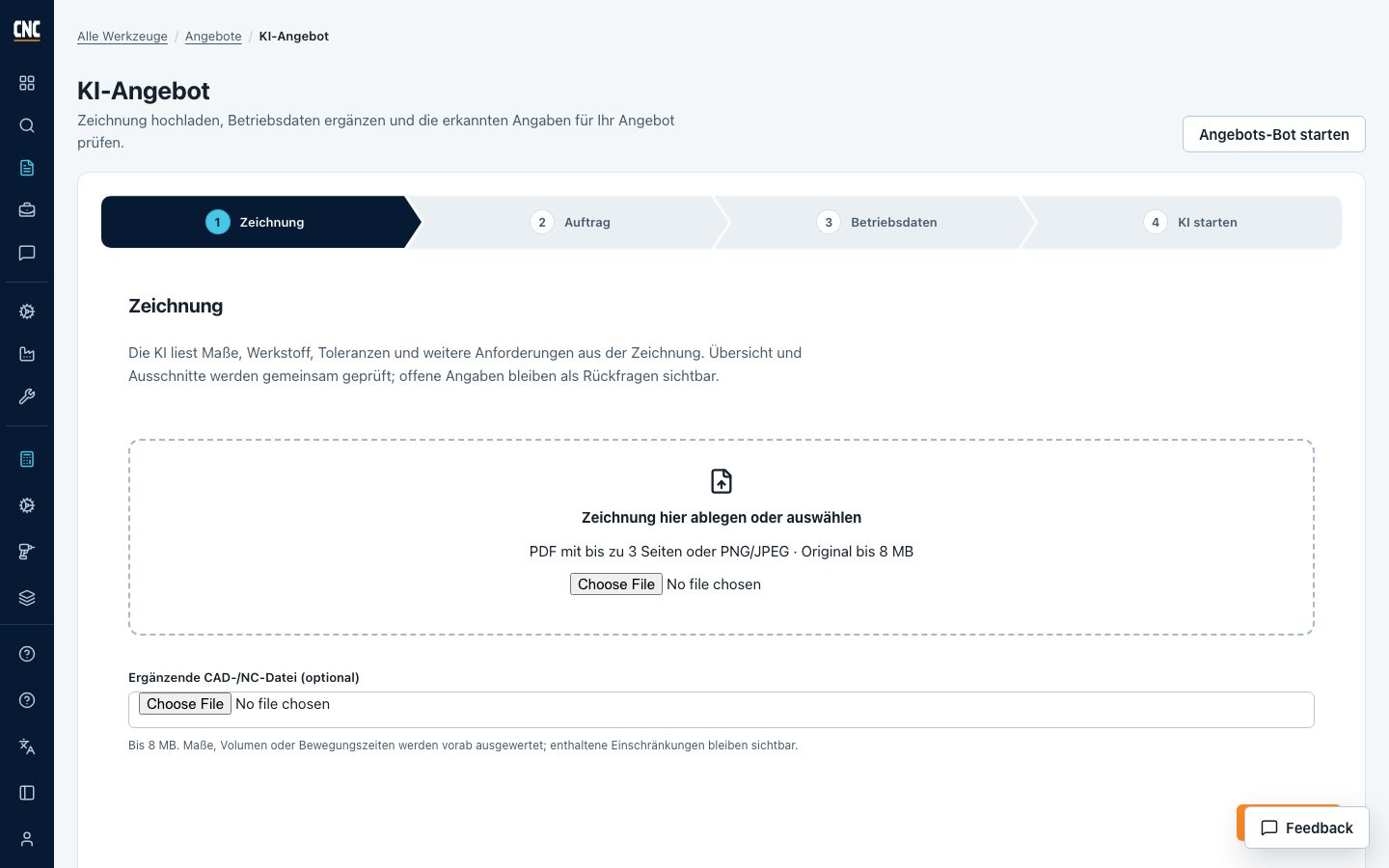
Start with the drawing and fill in the gaps
PDFs and images are divided into overview and detail regions for analysis. The inspection considers legible dimensions, material specifications, tolerances, surfaces and other requirements. Conflicting or illegible information remains visible as an open question.
Your own rates, materials and machines
Enter the quantity, a material from the material search, available machines and known prices or hourly rates. AI must not replace missing shop prices with confirmed facts. Approved resources help identify suitable manufacturing options.
Everything on the same quote
Documents, analysis and calculation belong to the same record. The process bar shows in colour which steps are done and where details are missing. After the review, you assign each line its unit-cost calculation.
Approvals and customer documents
Revisions preserve a specific state. Technical and commercial reviews remain traceable. The customer export shows selling prices; internal hourly rates and cost components are not included.
Frequently asked questions
Which files can the AI read?
Visual analysis uses PDF drawings and PNG or JPEG images. Additional CAD, NC or CSV files can serve as supporting documents. A STEP file is measured exactly: outer dimensions, volume, turned part, holes and pockets. This does not replace a CAM simulation, and recognised features remain proposals to check.
How reliable are detected dimensions and times?
Recognition depends on drawing quality and available information. Sources, uncertainties and open questions remain visible. Dimensions, process planning, times and prices must be reviewed before use. No general accuracy rate has been established.
What do I need to enter myself?
Confirmed order quantities and shop data such as prices, hourly rates and machine capabilities. Anything not clearly stated in the drawing must be added or clarified.
Can I calculate without AI?
Yes. The free quote assistant asks fixed questions about material, blank, quantity and times and fills each answer into the calculation; the price per piece follows there from fixed calculation rules.